
Google Is Expanding Some AI Overviews Automatically. Here’s What That Means for Your Website
Summary:
Google is automatically expanding some AI Overviews, which means your rankings can stay the same while your organic clicks drop.
For B2B companies, this matters most on informational, comparison, and decision-stage searches. The fix is not to rewrite everything for AI. It’s to make sure your content answers the question quickly, gives people a reason to click beyond the summary, and is measured using rankings, CTR, traffic, and conversions together.
If you’re optimizing content for AI search, you need to keep up with what Google is changing. And right now, those changes are happening fast.
Luckily, that’s what we’re here for.
Yet another update we’re seeing with Google’s AI Overviews: for some searches, Google is now automatically expanding the full AI-generated answer instead of waiting for someone to click “Show more.”
Sounds small, but for your website traffic, it may not be.
The larger the AI Overview, the farther down traditional search results can get pushed. So your page could technically keep the same ranking and still see fewer clicks. Let’s explain what’s changing, what you should actually pay attention to, and what you do not need to panic about.
So, What Exactly Changed?
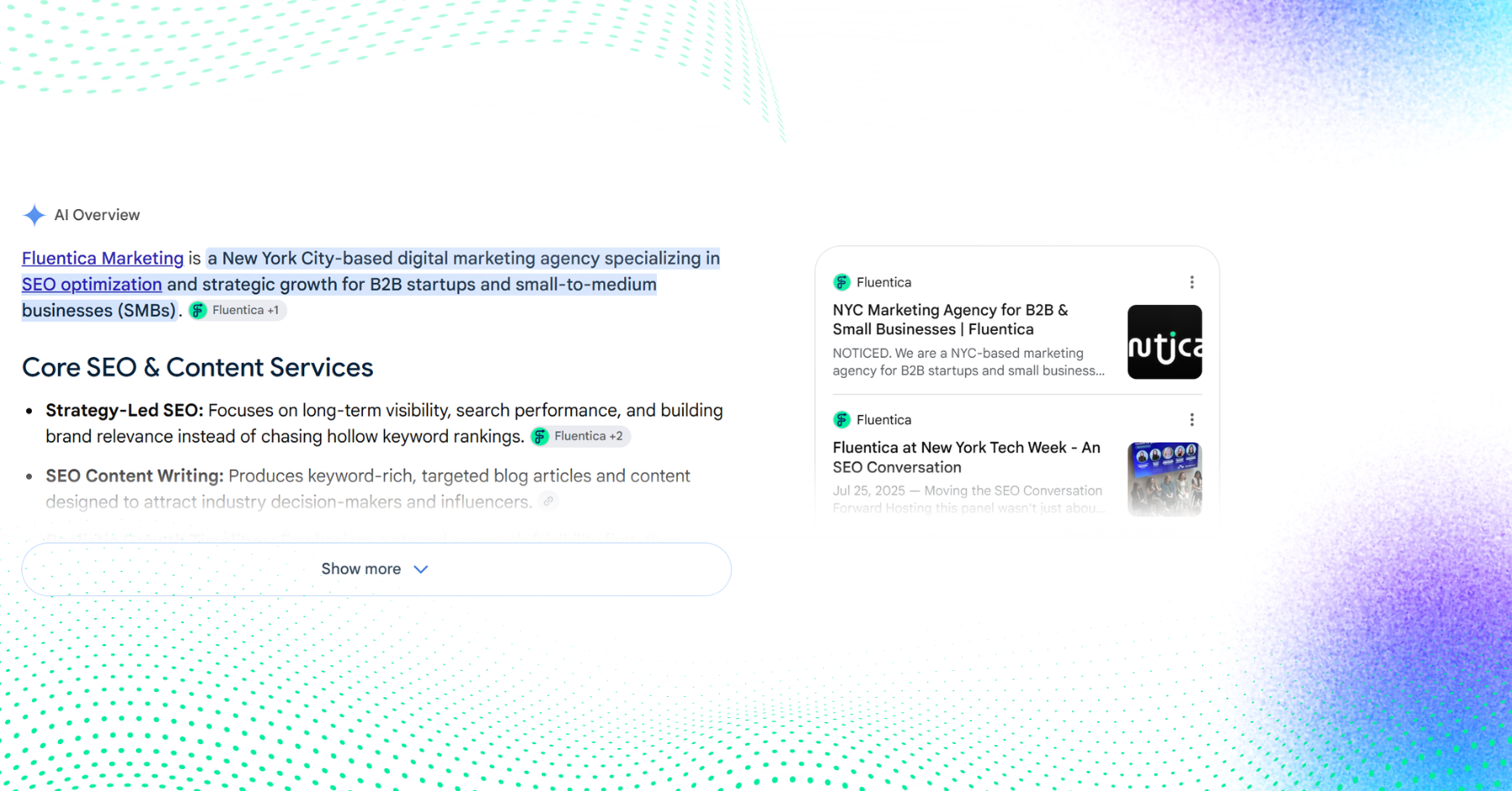
Google’s AI Overviews already appear at the top of many search results and pull information from different websites to answer a search directly. Until now, some of those answers appeared in a shorter format. If someone wanted the longer response, they had to click “Show more.”
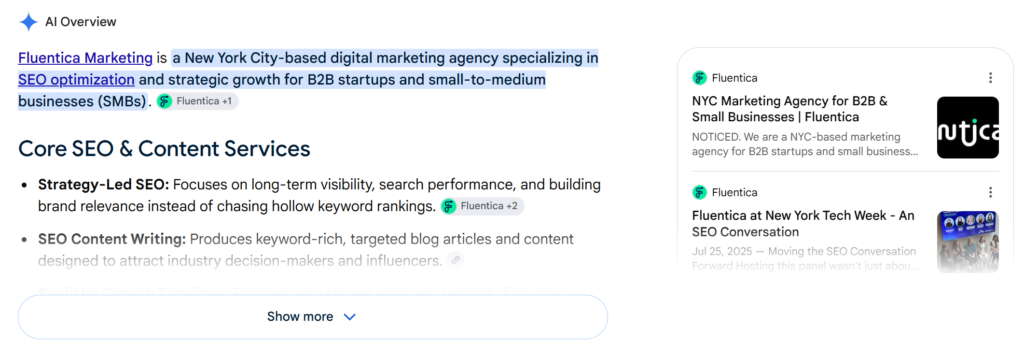
Now, Google is automatically expanding some of them.
Google told The Verge that, “For some queries, AI Overviews may dynamically expand for topics where our systems determine it’s most useful for people.” In other words, there isn’t a set category of searches where this will happen every time. Even The Verge found that the behavior changed across searches and browsers.
But from an SEO perspective, the important part is this: A bigger AI Overview takes up more space before someone reaches the traditional search results. Which means your ranking can stay the same while the amount of attention your result gets changes. That distinction is becoming increasingly important.
Your Rankings Can Stay Stable While Your Clicks Go Down
This is one of the first things we’d pay attention to. Let’s say your page has ranked around position three for an important search for the last six months.
In June:
- 10,000 impressions
- 700 clicks
- 7% CTR
A couple of months later:
- Still around 10,000 impressions
- Still around position three
- 400 clicks
Oh, what happened? The first instinct is usually: Our SEO performance dropped. Maybe. But before you start rewriting the page, look at what the search results actually look like.
If Google is now putting a much larger AI Overview above that result, your page can technically be performing just as well from a ranking perspective while getting fewer clicks. So now we need to separate two things:
Are we losing rankings?
and
Are we losing clicks?
They are not always the same problem. And as AI features take up more space in Search, treating them as the same thing can lead you to make the wrong changes.
Some Types of Content Are More Exposed Than Others
This is especially relevant for informational searches. Think:
- What is a fractional CMO?
- How does managed IT work?
- SEO vs PPC for B2B
- What should I look for in a cybersecurity company?
- How much does outsourced marketing cost?
- How do I choose an IT provider?
- What is the difference between X and Y?
Notice anything? These are exactly the kinds of questions B2B companies and professional-service businesses tend to target with content.
And we’re not saying you should stop; quite the opposite. But we do need to acknowledge something: If Google can answer the entire basic question directly in the search results, people have less reason to click on a page that gives them the exact same information.
That means informational content needs to do more than simply answer the question.
Being Cited in an AI Overview Doesn’t Automatically Mean You’re Getting Traffic
Now, there is another side to this. Your website can appear as one of the sources Google uses inside an AI Overview (that is visibility, and yes, visibility matters)
But we also need to be careful about what we call a result. Seeing your website cited in an AI-generated answer is not the same thing as someone visiting your website. This is especially important now that Google has started rolling out generative AI reporting inside Search Console.
The report can show which pages are appearing within generative AI features, including AI Overviews and AI Mode.
Useful? Absolutely, but it still doesn’t give us everything. Right now, you cannot neatly look at that report and say: This AI Overview appearance brought us 32 website visitors and three leads.
So when you see AI visibility increasing, don’t immediately translate that into traffic or pipeline. Treat it as another piece of the search visibility picture.
Should You Start Rewriting All Your Content for AI?
No. Seriously, please don’t.
Every time Google makes an AI update, we see the same reaction:
- Do we need to rewrite everything?
- Do we need different schema?
- Do we need to format every article differently?
- Do we need some new “AI SEO” strategy?
Google itself says there are no special technical requirements for appearing in AI Overviews or AI Mode, meaning existing SEO fundamentals still apply.
You do not need a magical AI content format.
You do not need to turn every paragraph into a two-sentence answer.
You do not need to add 25 FAQs to every page.
And you definitely do not need to rebuild your entire content strategy because of one Google update.
What you should do is look at whether your content gives people something worth clicking for. That was already important. AI Overviews are just making it harder to ignore.
Ask One Very Simple Question: Why Would Someone Still Click?
Let’s say someone searches: How much should a small business spend on marketing? Google may be able to summarize the general answer.
It can tell someone that marketing budgets vary.
It can give common percentages.
It can explain that the right amount depends on company size, growth stage, and goals.
Okay, so what does your page add? That is the question. Maybe you show:
- What we’ve seen businesses actually spend
- How that budget changes between SEO, paid media, and content
- What $2,000/month realistically gets you versus $10,000/month
- Examples from different types of businesses
- Common budgeting mistakes
- A calculator
- A checklist
- A case study
- A recommendation based on company stage
That gives someone a reason to visit your site even if Google already gave them the basic answer. And this is probably the biggest takeaway from this update: Answer the question clearly, but don’t stop at the answer.
Look At the Top of the Page First
If you’re wondering where to start, don’t audit every blog you’ve published since 2019. Start with the pages already getting visibility for question-based searches. Then look at the opening and ask:
- Does this actually answer what the person searched?
- How long does it take us to get to the point?
- Do we give them anything Google couldn’t easily summarize from five other websites?
- Do we show experience, context, or a point of view?
For example, if someone searches: How long does SEO take? You probably don’t need an introduction that spends five paragraphs explaining what SEO is. Tell them exactly what they’re asking, and then explain:
- What changes the timeline
- What you normally see
- What could make results slower
- What “results” actually means
- When someone should start questioning whether the strategy is working
See? Useful stuff and answers that your site visitors didn’t even think they needed. And it sounds like someone who actually understands the problem.
Your SEO Reporting Needs to Catch Up Too
This might actually be the most important part for businesses already investing in SEO. We need to stop looking at reports like this:
Rankings up = good.
Clicks down = bad.
Because there is now more happening between the ranking and the click. When reviewing performance in Google Search Console, look at these metrics together: impressions, clicks, CTR, and average position. Then look at the pattern.
Position is stable. Impressions are stable. CTR is down.
Before assuming something is wrong with the page, check the search result itself. Is there an AI Overview? Has it gotten larger? Are there more SERP features pushing your result farther down? The answer may be there.
Position is down. CTR is down.
That’s a different story. Now you may actually have a ranking or content performance issue to investigate.
AI visibility is increasing while website clicks decline.
Again, don’t immediately call that good or bad. It tells you the way people are seeing your business in Search may be changing. Now we need to look at what happens next.
Then open GA4.
Search Console shows you what happened in Google. GA4 helps you understand what people did once they actually reached the website. Those two need to be looked at together. For a page where clicks are dropping, compare:
- Organic landing-page sessions
- Engaged sessions
- Conversions
- Conversion rate
- Visits to important next pages
Let us explain why.
Imagine organic traffic to one of your blogs falls by 20%. And you go: Oh, this is bad. Maybe. But then you notice conversions from that page barely changed. That could mean some of the people no longer clicking were looking for a quick informational answer, while the people who still visit have stronger intent.
That is very different from: Traffic drops 20%. Conversions also drop 20%. Same traffic decline; very different business impact. This is why we keep saying: Do not make decisions from one SEO metric.
B2B Companies, This Matters a Lot for Your Websites
B2B buyers rarely wake up one morning and immediately fill out a contact form. As you know, they research… A lot. They move through a much longer B2B marketing funnel, researching different questions along the way.
They might start with: What is this problem? Then: What are my options? Then: How much does it cost? Should we do this internally or hire someone? How do I choose the right provider? (And the list of questions could go on and on).
Well, Google’s AI features can now answer more of those early questions directly. That does not mean content marketing for B2B is dead. It means the role of your content becomes even clearer.
You need to give people what an AI summary usually can’t fully provide:
- Your experience
- Your proof
- Your point of view
- Your examples
- Your process
- Your recommendation
And ultimately, a logical next step.
Here’s What We’d Actually Do Right Now
As we previously said, avoid the dramatic AI SEO overhaul and don’t rewrite your entire website. Instead, try taking these simple steps first:
1. Find the pages most likely to be affected
Look for content ranking for:
- Question-based searches
- Definitions
- Comparisons
- Processes
- How-to queries
- “How do I choose” searches
These are the pages we would review first.
2. Compare rankings and clicks separately
If clicks are going down, check whether rankings are also going down. If rankings are stable, don’t automatically assume your content lost performance. Look at the search result.
3. Give people something beyond the summarized answer
Review those pages and ask what someone gets by clicking. Can you add:
- Real examples?
- First-hand experience?
- Data?
- Comparisons?
- Pricing context?
- Case studies?
- Templates?
- A useful recommendation?
If your article basically says the same thing every other article says, that is a bigger problem now.
4. Get to the point faster
You do not need to write for an AI robot, nor do you need to write for someone who has plenty of other ways to get an answer. Tell them what they need to know, then give them the context; simple.
5. Think about what comes next
This is also where content strategy and conversion strategy need to meet. Someone reads your article; great, but now what? If they just learned how to choose an IT provider, perhaps the next step is a comparison page. Then a case study. Then your managed IT service page and a conversation. Don’t leave someone at the bottom of an article with a generic: Contact us today. Give them a next step that actually fits what they were just researching.
And No, SEO Isn’t Disappearing
Every major AI search update seems to come with some version of: Is SEO dead now? The simple answer is: No. But Search is changing, and that means the way we measure SEO has to change too.
A ranking tells you where Google placed your page.
An impression tells you the page had an opportunity to be seen.
A click tells you someone chose your website.
A conversion tells you they took an action that matters to the business.
Those were never the same thing. AI Overviews are just making the difference much more obvious. So if your organic clicks start dropping while rankings look stable, don’t panic, and definitely don’t immediately rewrite everything.
Once again, look at the search result, at the query, at the page. Look at what people do once they arrive. Then decide what actually needs to change. Because keeping up with AI search isn’t about chasing every Google update. It’s about understanding what changed enough to make the right decision.
Seeing stable rankings but fewer organic clicks?
We can help you look at what’s happening between Search Console, AI visibility, and website conversions so you know what actually needs to change.
Related Posts
- B2B marketing
- Brand Strategy
- Content Strategy
- Digital Marketing
- Marketing Strategy
- News
- SEO Strategy
- SMB Marketing
- Back
- AI Optimization